
Follow these steps to install your Rakmyat Theme and required plugins including the essential Rakmyat Core plugin.
Method 1: WordPress Admin (Recommended) #
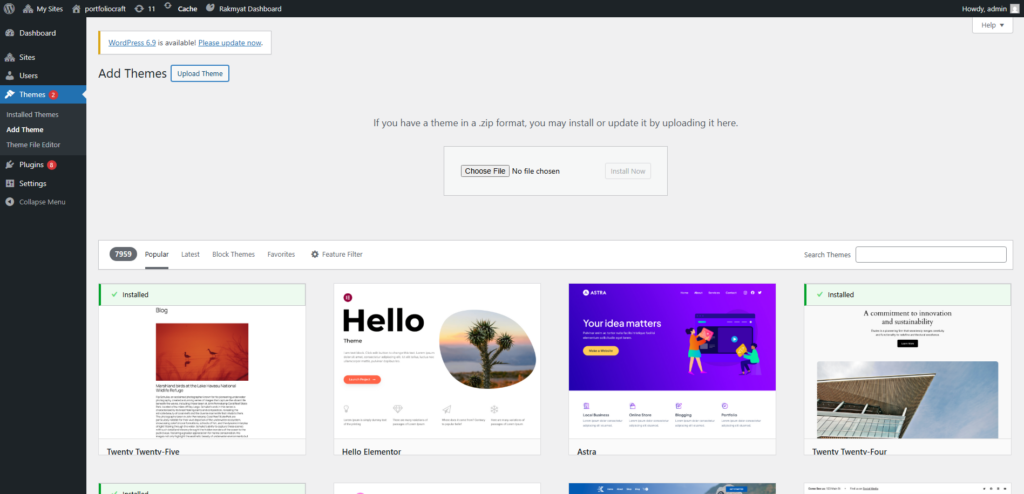
Step 1: Upload Theme #
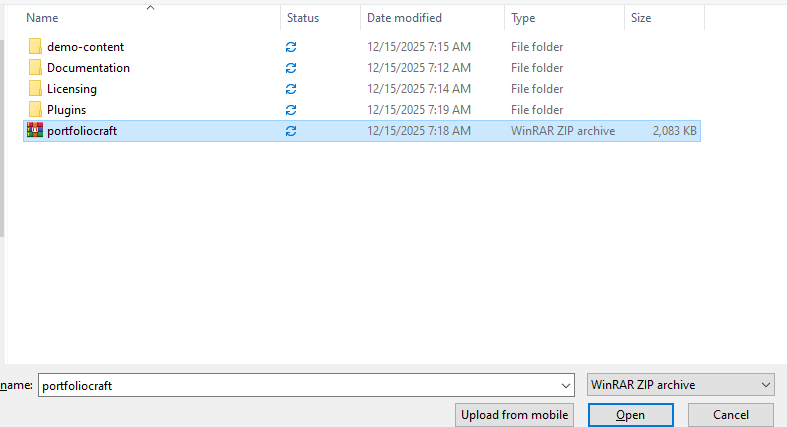
- Go to Appearance → Themes → Add New → Upload Theme
- Click Choose File and select
rakmyat-theme.zip - Click Install Now
- Click Activate
Step 2: Install Required Plugin #
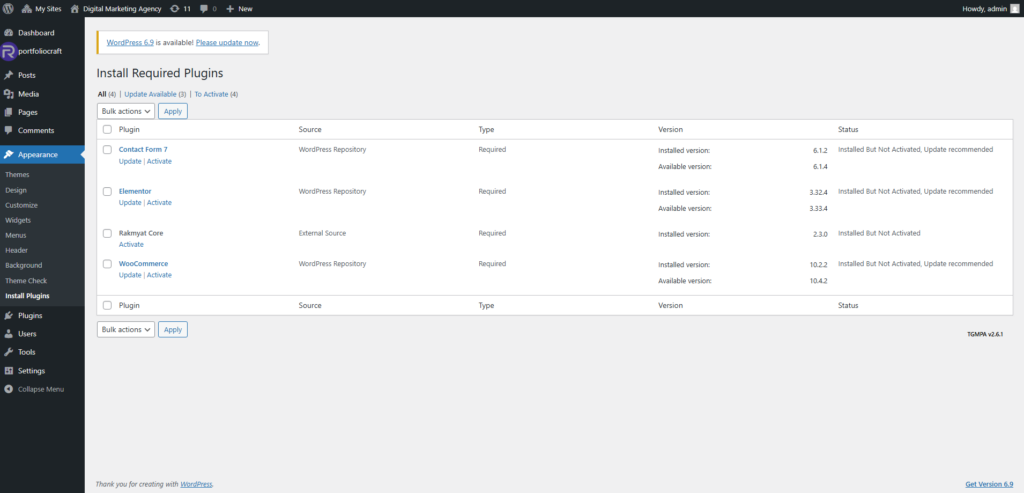
After activation, you’ll see a notification:
- Click Begin installing plugins
- Click Install on all plugins including Rakmyat Core
- Click Activate on all plugins
Important: Rakmyat Core plugin is required for theme features to work
Method 2: Manual FTP Upload #
- Unzip
rakmyat-theme.zipon your computer - Upload all files to
/wp-content/themes/rakmyat-theme/ - Go to Appearance → Themes
- Activate Rakmyat Theme
Common Issues #
| Problem | Solution |
|---|---|
| Plugins won’t install | Increase upload_max_filesize to 128M |
| Rakmyat Core missing | Re-activate theme → Install required plugins |
| White screen | Deactivate other plugins temporarily |
Installation Checklist #
- Theme uploaded & activated
- Rakmyat Core installed & activated
- All required plugins active
- No errors in WordPress admin


