
This method imports the demo from files stored inside your theme on the same server, instead of downloading them from Rakmyat servers.
It is useful for local development, offline work, or restricted hosting environments.
1. Copy demo-content from your ThemeForest package #
- On your computer, unzip the ThemeForest download package for the theme.
- Inside it, locate the folder named
demo-content(it contains folders like “Digital Marketing Dark”, “Digital Marketing Light”, etc.). - Copy the entire
demo-contentfolder.

2. Paste demo-content into the theme demo-import folder
On your local server, navigate to your WordPress theme directory.
For the example path you gave, it is:
C:\Users\OPT\Local Sites\rakmyat-demo-1\app\public\wp-content\themes\portfoliocraft\inc\demo-import\
Steps:
- Open this folder:
...\wp-content\themes\portfoliocraft\inc\demo-import\ - Paste the
demo-contentfolder here.
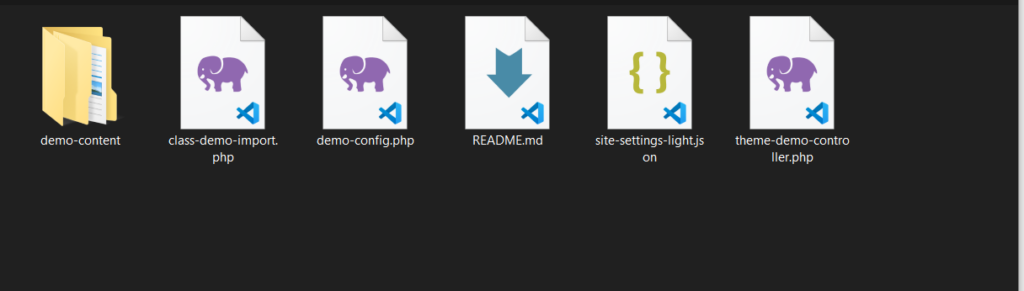
You should end up with:
C:\Users\OPT\Local Sites\rakmyat-demo-1\app\public\wp-content\themes\portfoliocraft\inc\demo-import\demo-content\
Inside that folder you will see subfolders, for example:
Digital Marketing Dark(or demo name )

The directory listing will look similar to:
C:\...\themes\portfoliocraft\inc\demo-import\demo-content>dir

Digital Marketing Dark
Digital Marketing Dark Rtl
Digital Marketing Light
Digital Marketing Light Rtl
3. Run the demo import from WordPress #
After the files are in place, the import process inside WordPress is almost the same as the default HTTP method:
- Log in to your WordPress admin.
- Go to: Rakmyat Dashboard → Demo Import (Rakmyat Core page).
- Make sure you are using the normal import mode (not manual XML upload).
- Choose the demo you want (for example “Digital Marketing Dark”).
- Click Import and confirm.
Because the demo files are now inside:
portfoliocraft\inc\demo-import\demo-content\
the importer reads them directly from your local file system instead of fetching them from Rakmyat servers.
4. When this method is recommended #
Use the local folder import when:
- You are working on a local environment like Local, XAMPP, WAMP, MAMP.
- Your hosting blocks external HTTP requests.
- You want faster imports without depending on network speed.
The result is the same as the standard demo import: pages, posts, images, menus, widgets, templates, and theme options are all imported and you can start editing your site.


