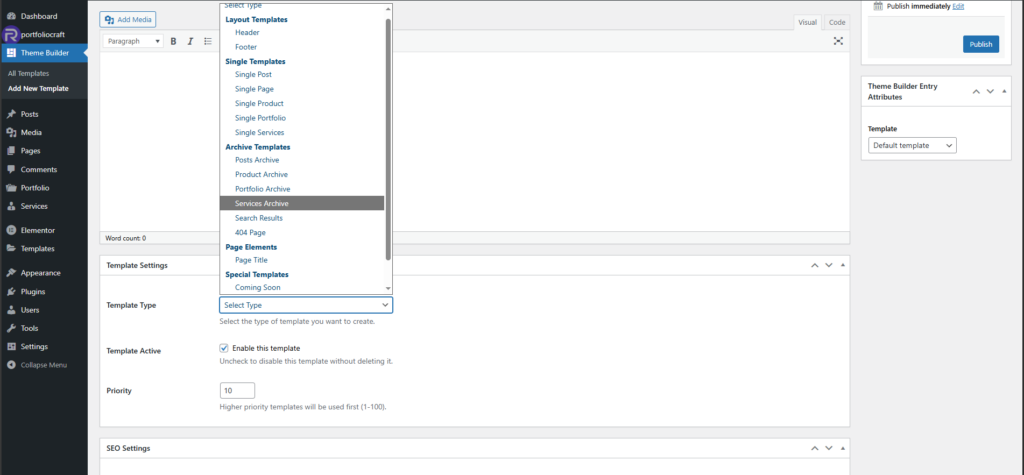
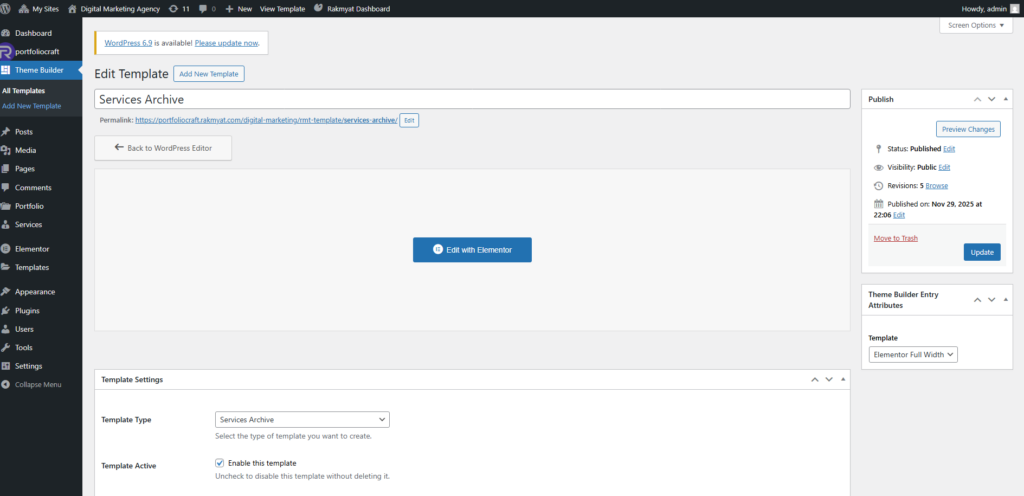
The Services archive page layout is handled by a Theme Builder template, same as Portfolio.
Create the archive template #
- Go to: Rakmyat Dashboard → Templates.
- Click Add New Template.
- Enter a title, for example: “Services Archive”.
- Click Edit with Elementor and design the layout (service cards, intro, filters, etc.).
- Click Publish.
Set template type #
- In the Template Settings box for this template, find Template Type.
- Select Services Archive.
- Make sure Template Active is checked.
- Set a Priority value (for example 10).
- Click Update.
This template is now used for the main Services archive URL (for example /services/) and service listing pages