Main colors #
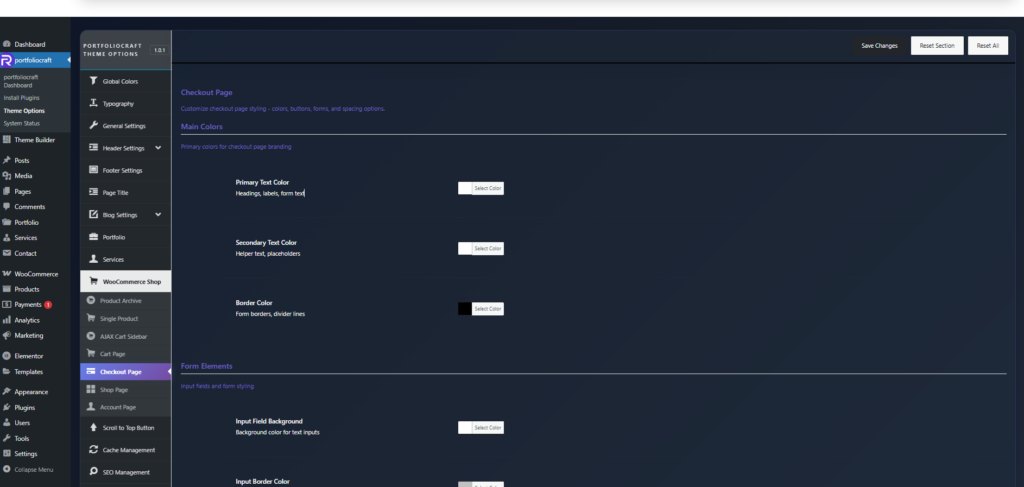
These control the overall text and border colors on the checkout page.
- Primary Text Color
Color for key text such as headings, field labels, and main form text (billing/shipping titles, etc.). - Secondary Text Color
Color for helper text, smaller labels, and placeholders, usually a softer shade than primary text. - Border Color
Color for form field borders and divider lines between sections, helping visually separate areas on the page.
Form elements #
Style the checkout form inputs.
- Input Field Background
Background color of all text input fields (name, address, email, etc.). - Input Border Color
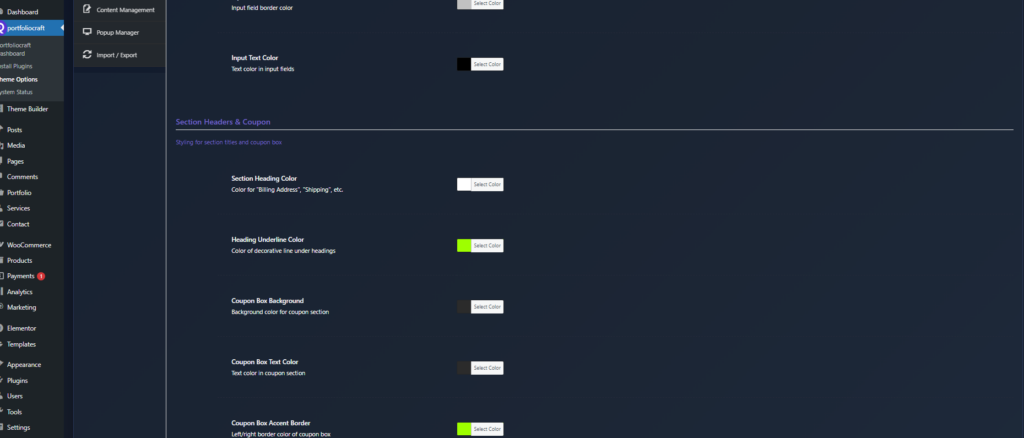
Border color for those fields; can be subtle or highly contrasted depending on your design. - Input Text Color
Text color inside inputs so customer data remains easy to read.
Section headers & coupon #
Customize headings and the coupon area.
- Section Heading Color
Color for section titles like “Billing Details”, “Shipping Details”, “Additional Information”. - Heading Underline Color
Color of any decorative line or underline shown beneath section headings. - Coupon Box Background
Background color for the coupon area at the top of checkout. - Coupon Box Text Color
Text color inside the coupon section (instructions, field label, apply button label). - Coupon Box Accent Border
Accent border color on left/right of the coupon box to highlight it visually.
Buttons & actions #
Control the main checkout actions.
- Button Background
Primary color for checkout buttons such as Place Order, Continue, and other main actions. - Button Text Color
Text color for these buttons; should contrast strongly with the background. - Button Border Color
Outline color around the button, which can be subtle (same as background) or contrasting for outlined styles.
Order summary #
Style the “Order review” / “Your order” box.
- Order Summary Background
Background color of the order review section containing product list and totals. - Order Summary Text Color
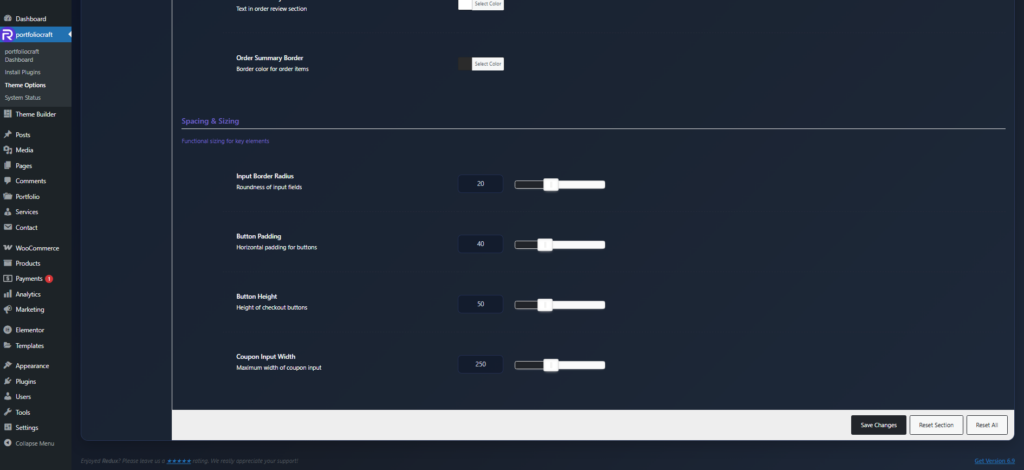
Text color for product titles, quantities, and line totals in the order review. - Order Summary Border
Border/divider color between order lines and totals within this box.
Spacing & sizing #
Fine‑tune usability and consistency.
- Input Border Radius
Roundness of input fields’ corners (0 = sharp square, higher values = more rounded). This impacts the overall form style. - Button Padding
Horizontal inner padding for checkout buttons; more padding makes buttons wider and more prominent. - Button Height
Vertical size/height of checkout buttons, which affects tap area and visual weight. - Coupon Input Width
Maximum width of the coupon input field, useful to keep the layout tidy on large screens.
These settings together let you build a branded, readable, and conversion‑focused checkout page without writing custom CSS.